Showing posts with label RSS. Show all posts

Saturday, January 4, 2014

Recall Everything You Read Online - A Model For Information Management

Google Reader was one of my favorite information management tools.  Since Google discontinued it, I have been searching for the best option and settled on Feedly for multiple reasons:

  • Seamlessly imported my feeds from Google Reader
  • Free
  • Nice interface
  • Works on all my devices and various operating systems
  • Adding content works well - finds most of the feeds I need without having to input the exact RSS feed URL
  • Nice features for saving to Pocket and sharing to various social networks.

Feedly does have a  few minor limitations which one can live with:

  • On a desktop, you cannot find a tag by typing the first 1 or 2 letters.  You have to scroll down which can be a pain if you have a long tag list
  • Does not allow to export OPML (your feed bundle) for just a subset of your feeds.  It is all or none.

But there are 2 things that bother me the most:

  • The free version shows only one search result - this is a huge problem as it is easier to find something in the same app where you first read it.
  • The solution to this would be to share to a searchable bookmarking site like Diigo but the free version does not allow custom sharing and Diigo is not one of the options in the free version.

But then I found the solution that works quite well using IFTTT.com and it goes like this:

  1. Make sure you have you use your Google log in to create accounts on 
  2. Go to Feedly and create a tag called "Diigo" 
    • Use a RSS feed suggested by Feedly
      • Add any content to feedly (even one RSS feed) 
      • Click on one feed item >> tag >> create tag >> Diigo
    • Or you can import my cardiology and medicine journal feeds 
      • From here http://goo.gl/bTJy2X (make sure you SAVE the file)
      • Go to Feedly>>organize>>Import OPML (http://feedly.com/#cortex)
      • Import the file you just saved
      • Now you should have several excellent feeds
      • Select one feed item and tag >> create tag >> Diigo
  3. Go to If This Then That (www.ifttt.com) and register
  4. Find the recipes for feedly (there are several) to share to Diigo.  The one I use is available here (https://ifttt.com/recipes/138162)
  5. Now every time you save a feed item so you can find it again do the following
    • Tag the feed item with Diigo
    • This item will automatically be saved to your Diigo profile
    • Diigo is searchable and thus everything you deemed worth saving is now searchable!
  6. Power step - search from Google!
    • I love Diigo because when I search anything on Google, it also searches my Diigo items.
    • I use Chrome as my default browser
    • Get the Diigo Chrome extension
    • In options make sure you check "Search Diigo when searching Google"
    • TaDa!

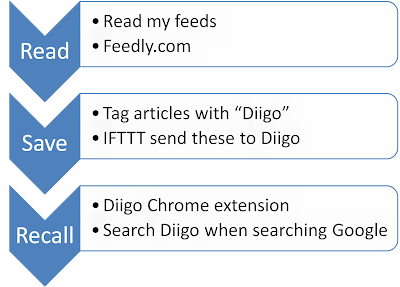
So my information workflow goes something like this:


This is actually works quite well as most people tend to use Google to do their searches, this process will automatically show if there are any items related to that search term on Diigo and one can access these with one click.  In addition, since you can use Diigo to bookmark webpages that you come across when surfing, you can now recall items that you read outside of Feedly.

Enable searching Diigo when searching Google in the Diigo Chrome extension options

In this example searching for Cholesterol guidelines brings up 3 items stored in my Diigo Library


Monday, December 24, 2012

Web 2.0 and Social Media for Cardiologists - one-click solutions

I was preparing for my presentation at a major medical conference in India.  The presentation is on use of Social Media for Physicians.  The conference is focused on mostly cardiology topics for general internists.  The organizers asked me to make sure the talk was practical and could leave the attendees with some easy to follow take home points.

As always the challenge with a presentation is knowing your audience.  I did not have a good feel for this, not having attended this conference before.  I struggled to select the appropriate content for the presentation.  I needed to show them what was possible, and then what they could do to get started.

I decided to give them some highlights on using Google Reader to stay current with medical (cardiology) literature and use of Twitter to network with cardiologists and to get updates and insights.  To make it easy for them to get started I created

  • An OPML bundle of cardiology journal feeds and
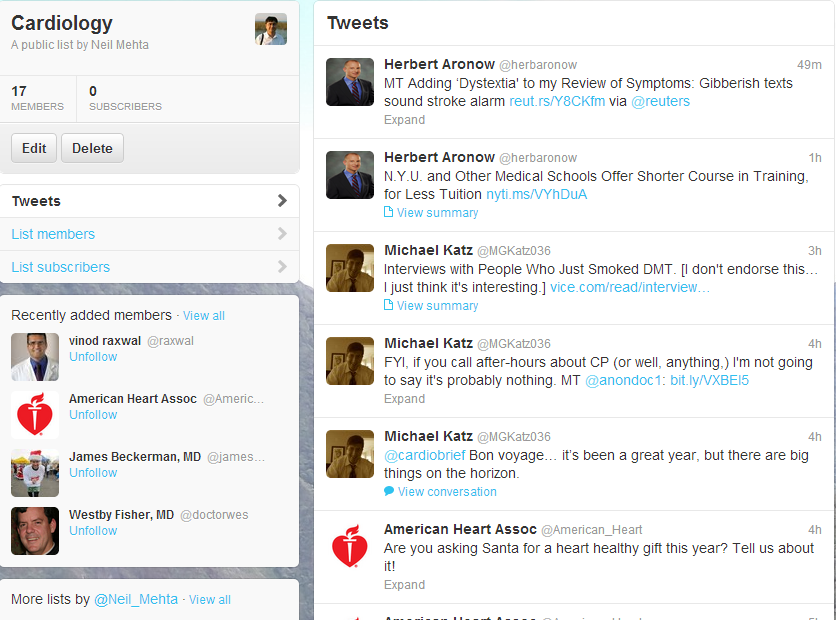
  • A Twitter list of cardiologists to follow - this post by Larry Husten was very helpful to get started.
Having gone through that effort, it is probably worthwhile to share these for others to use and share.

Getting your cardiology journals delivered to your "doorstep"
  • Get started with Google Reader
  • Then subscribe to 11 top cardiology journals and 3 blogs with one click.  (Click on subscribe)
  • Go to Google Reader and all 11 journal feeds should be available at one place.  These can be tagged and shared on Twitter, FB or Google+, Tumblr etc and also be searched!
RSS Feed Bundle or 11 top Cardiology Journals

Getting your cardiology fix on Twitter
Twitter List for Cardiology Updates

So there you are - 2 quick one-click solutions to introduce cardiologists into Web 2.0/Social Media.

Addendum:
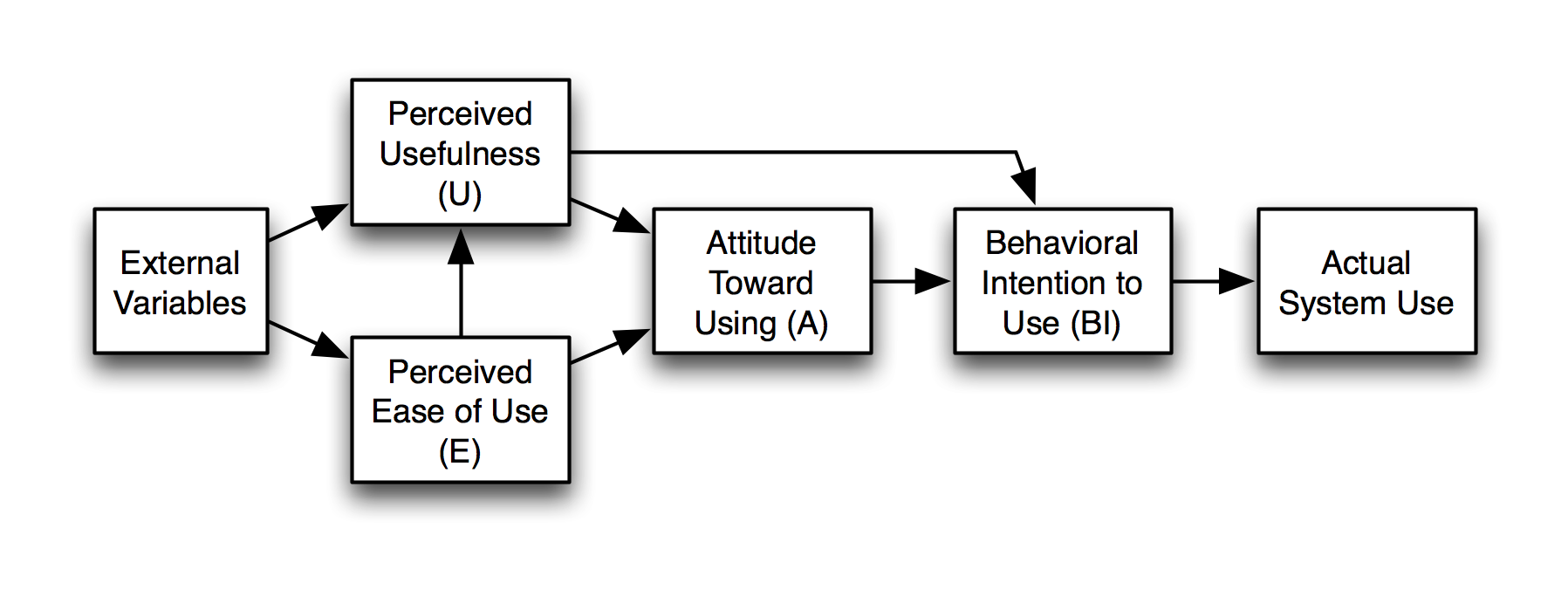
A conversation with @Allan Palmer on Google+ made me realize that this might have come across as a final solution for the attendees.  I need to stress that this is just the first step. There are several frameworks for understanding why some people are late to adopt IT innovations.  The Technology Adoption Model is based on:

  • Perceived Usefulness and 
  • Perceived Ease of Use

The Diffusion on Innovation theory by Rogers adds that an innovation must be easy to try, and its use should be visible to others (peers).  

Based on these frameworks, one would seek to provide late adopters an easy to use approach to try these tools, and allow them to see other colleagues using it.  Ideally one would add some hypothetical cases to illustrate the utility.

Thus for this conference, I could create an example of a patient on a statin who has questions about adding niacin to the regimen or a patient with history of coronary artery disease who is on a betablocker and getting severe fatigue from it.  These would lead to recent articles on these topics and conversations on Twitter and blog posts about these studies.