I was preparing for my presentation at a major medical conference in India. The presentation is on use of Social Media for Physicians. The conference is focused on mostly cardiology topics for general internists. The organizers asked me to make sure the talk was practical and could leave the attendees with some easy to follow take home points.
As always the challenge with a presentation is knowing your audience. I did not have a good feel for this, not having attended this conference before. I struggled to select the appropriate content for the presentation. I needed to show them what was possible, and then what they could do to get started.
I decided to give them some highlights on using Google Reader to stay current with medical (cardiology) literature and use of Twitter to network with cardiologists and to get updates and insights. To make it easy for them to get started I created
Addendum:
A conversation with @Allan Palmer on Google+ made me realize that this might have come across as a final solution for the attendees. I need to stress that this is just the first step. There are several frameworks for understanding why some people are late to adopt IT innovations. The Technology Adoption Model is based on:

As always the challenge with a presentation is knowing your audience. I did not have a good feel for this, not having attended this conference before. I struggled to select the appropriate content for the presentation. I needed to show them what was possible, and then what they could do to get started.
I decided to give them some highlights on using Google Reader to stay current with medical (cardiology) literature and use of Twitter to network with cardiologists and to get updates and insights. To make it easy for them to get started I created
- An OPML bundle of cardiology journal feeds and
- A Twitter list of cardiologists to follow - this post by Larry Husten was very helpful to get started.
Having gone through that effort, it is probably worthwhile to share these for others to use and share.
Getting your cardiology journals delivered to your "doorstep"
- Get started with Google Reader
- Then subscribe to 11 top cardiology journals and 3 blogs with one click. (Click on subscribe)
- Go to Google Reader and all 11 journal feeds should be available at one place. These can be tagged and shared on Twitter, FB or Google+, Tumblr etc and also be searched!
 |
| RSS Feed Bundle or 11 top Cardiology Journals |
Getting your cardiology fix on Twitter
- Create a Twitter account (optional for read-only mode)
- Go to the Twitter cardiology list
- View Tweets and follow the conversations and links
- Join Twitter to participate
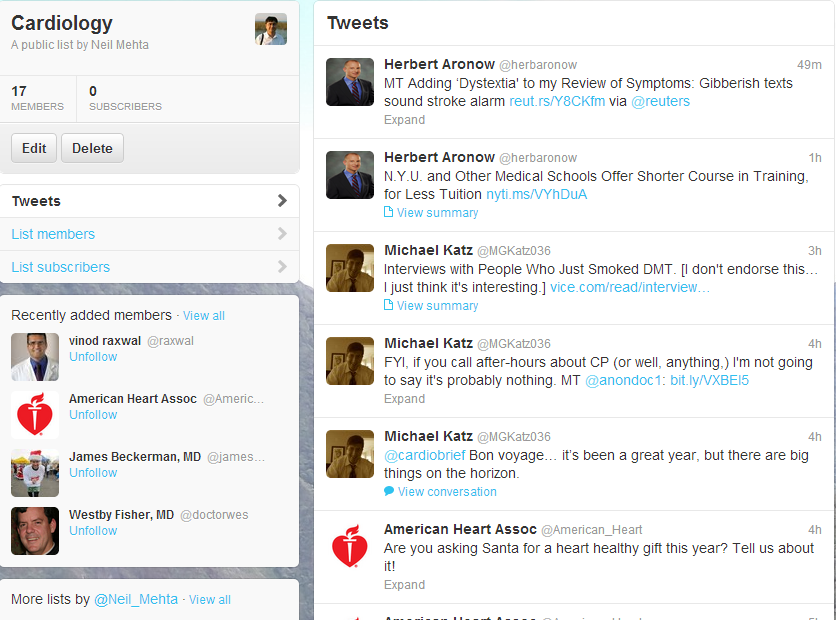 |
| Twitter List for Cardiology Updates |
So there you are - 2 quick one-click solutions to introduce cardiologists into Web 2.0/Social Media.
Addendum:
A conversation with @Allan Palmer on Google+ made me realize that this might have come across as a final solution for the attendees. I need to stress that this is just the first step. There are several frameworks for understanding why some people are late to adopt IT innovations. The Technology Adoption Model is based on:
- Perceived Usefulness and
- Perceived Ease of Use
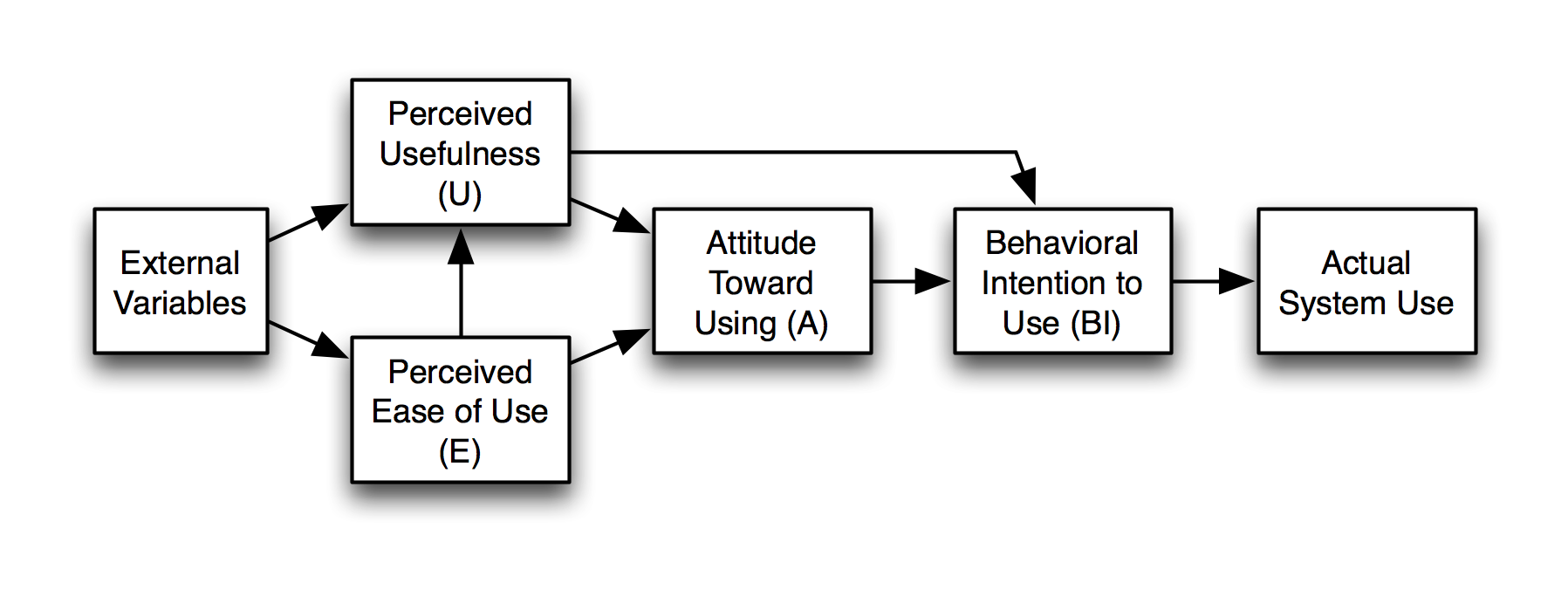
The Diffusion on Innovation theory by Rogers adds that an innovation must be easy to try, and its use should be visible to others (peers).
Based on these frameworks, one would seek to provide late adopters an easy to use approach to try these tools, and allow them to see other colleagues using it. Ideally one would add some hypothetical cases to illustrate the utility.
Thus for this conference, I could create an example of a patient on a statin who has questions about adding niacin to the regimen or a patient with history of coronary artery disease who is on a betablocker and getting severe fatigue from it. These would lead to recent articles on these topics and conversations on Twitter and blog posts about these studies.


.png)

